Construct3TerrainEditor
A downloadable tool for Windows
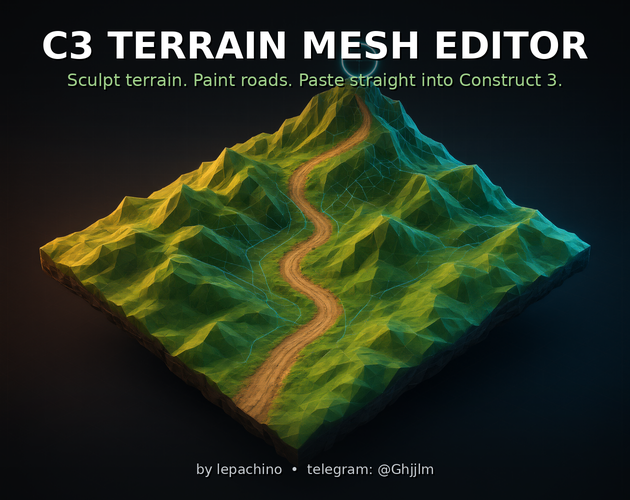
C3 Terrain Mesh Editor
Sculpt terrain. Paint roads. Paste straight into Construct 3.
A free 3D terrain & mesh editor built specifically for Construct 3. Shape mountains, trails and flat pads with sculpt brushes on a single plane, paint texture layers (roads, sand, snow…) right onto the surface — then copy one JSON and press Ctrl+V in your Construct 3 layout. The terrain arrives as a TiledBackground instance with a real mesh, exactly like Construct’s own clipboard format.
What you get
- 6 sculpt tools: Raise, Lower, Smooth, Flatten (paths & pads), Noise detail, Terraces — with radius, strength, center hardness, 4 falloff shapes and X/Y mirror.
- Texture painting: 3 independent layers with their own brush settings; layers bake into one object-sized PNG on export, so roads stay exactly where you painted them in C3.
- Tile randomizer like in C3: per-tile random offset/rotation and smooth blend margins — for the base texture and for every paint layer, with live preview.
- Generators & processing: fbm mountains (frequency, octaves, ridge share, edge fade, seed), detail noise, thermal erosion, whole-mesh terraces, normalize, invert, smooth passes.
- Two export paths: Construct 3 clipboard JSON (world-instances + mesh + embedded texture) and glTF Binary (.glb) with normals, UVs and embedded texture for Blender / Unity / web.
- Import back: paste C3 clipboard JSON or drop a .json file — heights, sizes, position, object name and texture are restored.
- Interface: Dear ImGui (wasm port), adaptive dock panels, RU/EN auto-language, UI scale & themes, undo/redo, camera presets, hide-UI mode for a full-screen viewport.
Workflow in 4 steps
- Sculpt the relief with brushes (LMB); make paths and pads with the Flatten tool.
- Set mesh resolution (cols/rows as point counts, like C3), object size, layout position and object name.
- Press Copy JSON (clipboard is verified automatically).
- In Construct 3: click an empty spot on the layout view, press Ctrl+V. Done — instance + object type + texture are created.
Controls
- LMB — brush; Alt+LMB — invert brush.
- RMB drag — orbit; middle drag — pan; wheel — zoom (smooth orbit camera, no gimbal flips, top/side/3-4 presets).
- 1–6 — tools; [ and ] — brush radius; T — sculpt/paint mode; H — hide panels; Ctrl+Z / Ctrl+Y — undo/redo.
- Drag & drop: .json — import mesh; image — texture.
Download & run
A packaged Windows desktop application (Electron): unpack the archive and launch C3 Terrain Mesh Editor.exe — no install, no internet, no account needed.
Credits
Made by lepachino — Telegram: @Ghjjlm.
UI: Dear ImGui via the flyover/imgui-js wasm port. Rendering: pure WebGL.
Download
Click download now to get access to the following files:
Leave a comment
Log in with itch.io to leave a comment.